

Product Short Description
Full Product Description
Flexible Content Sharing for Modern Business Meetings
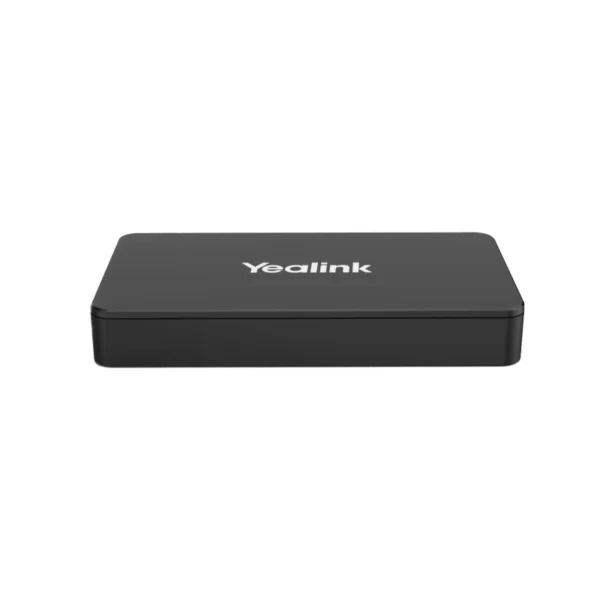
The Yealink MShare E2 is an MVC screen sharing box designed to make wired content sharing more flexible in professional meeting environments. Rather than being a standalone conferencing system, the MShare E2 is a dedicated accessory designed to work within Yealink MVC meeting-room deployments.
For South African businesses, where meeting rooms may be used by different departments, visitors, clients and hybrid teams throughout the day, having a practical and accessible content-sharing solution can make presentations easier to manage. The MShare E2 provides multiple connection options and can be positioned separately from the Touch Console, giving businesses more flexibility when planning their meeting-room setup.
Key Features & Business-Class Highlights
Up to 1080p/30fps Full HD screen sharing
The MShare E2 supports up to 1080p/30fps Full HD screen sharing, providing a suitable resolution for everyday corporate presentations, documents, spreadsheets, dashboards and other business content. This makes it useful for meetings where participants need to view shared information clearly on a conference-room display.
Audio sharing support
The device also supports audio sharing, allowing compatible meeting-room setups to incorporate audio alongside shared visual content. This is useful when presenting videos, training material or other multimedia content during a business meeting.
Versatile connectivity
Yealink equips the MShare E2 with three connection interfaces:
- 1 × USB Type-B female
- 1 × HDMI In female
- 1 × USB-C In female
This combination gives businesses flexibility when connecting different source devices to the meeting-room system.
For customers shopping for complementary Yealink conferencing solutions, the MShare E2 can form part of a broader professional collaboration environment.
Flexible deployment
One of the key advantages of the MShare E2 is its separate design from the Touch Console. Yealink specifically positions the device as a solution for situations where the MTouch Console casting cable is not sufficient. It can be deployed in a nearby location to provide an additional wired casting point.
This flexibility can be useful when configuring meeting rooms around existing desks, conference tables, displays or cable-management requirements.
Compact and concealable design
Meeting rooms benefit from equipment that does not unnecessarily clutter the workspace. The MShare E2 has a compact design that can be concealed within a conference desk, helping businesses maintain a cleaner and more professional-looking meeting environment. Yealink also highlights its integration with HDMI matrix setups for improved aesthetics and functionality.
Bi-colour LED status indicator
The built-in LED light provides a visual indication of the casting status of the wired auxiliary stream. For employees using shared meeting rooms, a clear status indicator can make it easier to understand whether the content-sharing connection is active.
Built for South African Corporate and SME Environments
The MShare E2 can be useful across a range of professional environments in South Africa.
In an SME boardroom, it can provide a dedicated connection point for presentations, management meetings and customer discussions. In a corporate office, it can form part of a standardised Yealink meeting-room deployment across multiple departments or locations.
Training providers can also benefit from dedicated content-sharing equipment when presenting course material, demonstrations or multimedia content. Similarly, sales teams can use a meeting-room display to present proposals, product information and business reports to customers.
For businesses operating hybrid teams, meeting-room content sharing is particularly relevant. Employees may be physically present in a boardroom while other participants join remotely. A reliable wired sharing setup helps ensure that presentations and other visual information can form part of the meeting workflow.
The MShare E2 can therefore be considered alongside other meeting room conferencing equipment when creating or upgrading a professional collaboration space.
Simple Integration Into Existing Meeting Rooms
The MShare E2 is designed to complement Yealink MVC room systems rather than replace the complete conferencing solution. Its separate design provides additional flexibility when the standard Touch Console casting cable does not adequately suit the physical layout of the room.
This can be particularly useful when meeting-room furniture, display positioning or cable routing makes a directly connected setup inconvenient.
The device can also be concealed within a conference desk, helping keep visible cables and equipment to a minimum. This is beneficial for executive boardrooms and client-facing meeting spaces where a tidy installation contributes to a professional environment.
What’s Included
Yealink supplies the MShare E2 with the following accessories:
- 1 × MShare E2
- 1 × USB-C cable
- 1 × HDMI cable
- 1 × USB Type-A cable
- 1 × Quick Start Guide
This provides the essential cables required for deployment according to the manufacturer’s specified package contents.
For product resources, setup information and manufacturer assistance, customers can visit the official Yealink Support page.
Pros and Cons
Pros
- Supports up to 1080p/30fps Full HD screen sharing
- Supports audio sharing
- HDMI, USB-C and USB Type-B connectivity
- Flexible positioning separate from the Touch Console
- Compact and concealable design
- Bi-colour LED indicates wired casting status
- Suitable for boardrooms, training rooms and corporate meeting spaces
- Includes USB-C, HDMI and USB Type-A cables
- Useful for businesses standardising Yealink MVC meeting-room environments
Cons
- Designed primarily as an MVC screen-sharing accessory, not a standalone video-conferencing system
- Maximum specified screen-sharing capability is 1080p/30fps
- Wired content sharing requires a physical connection
- Businesses should confirm compatibility with their existing Yealink MVC setup before purchase
- Its primary value is within a compatible professional meeting-room environment rather than general-purpose home use
| Specification | Details |
|---|---|
| Brand | Yealink |
| Model | MShare E2 |
| Product Type | MVC Screen Sharing Box |
| Product Category | USB Sharing Box for MVC Series |
| Primary Function | Wired content sharing |
| Screen Sharing | Up to 1080p / 30fps Full HD |
| Audio Sharing | Supported |
| USB Type-B | 1 × USB Type-B, Female |
| HDMI | 1 × HDMI In, Female |
| USB-C | 1 × USB-C In, Female |
| Status Indicator | Bi-colour LED |
| Deployment | Separate from Touch Console |
| Design | Compact and concealable |
| Intended Use | Yealink MVC meeting-room environments |
| Operating Temperature | 0–40°C |
| Operating Humidity | 10–95% |
| Package Contents | MShare E2, USB-C cable, HDMI cable, USB Type-A cable, Quick Start Guide |
| Manufacturer | Yealink |
| SKU | MSHARE E2 |








Reviews
There are no reviews yet.