
In today’s fast-paced digital world, having a computer that performs optimally is essential for both productivity and leisure. If your computer seems to be lagging or struggling with tasks, there are several effective strategies you can employ to boost its performance. Here are five practical ways to enhance your computer’s efficiency:
1. Clean Up Your Hard Drive
Over time, your computer’s hard drive can become cluttered with unnecessary files, such as temporary files, old downloads, and unused applications. To free up valuable space and improve performance, regularly perform a disk cleanup. Most operating systems have built-in tools that can help you identify and delete these files. Additionally, consider uninstalling programs that you no longer use, as they can take up space and resources.
2. Upgrade Your RAM
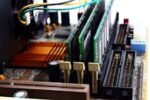
Random Access Memory (RAM) is crucial for multitasking and running applications smoothly. If you find that your computer slows down when you have multiple programs open, upgrading your RAM can make a significant difference. Check your computer’s specifications to determine the maximum amount of RAM it can support and consider adding more if needed. This upgrade can improve speed and responsiveness, particularly for resource-intensive tasks.
3. Optimize Startup Programs
Many programs are set to launch automatically when your computer starts up, which can slow down the boot process and consume system resources. To improve startup time, review and manage your startup programs. Disable any that are unnecessary or that you don’t use frequently. This can be done through your computer’s task manager or system configuration settings, depending on your operating system.
4. Keep Your Software Updated
Outdated software can lead to compatibility issues and security vulnerabilities that can impact performance. Ensure that your operating system, drivers, and applications are all up to date. Regular updates not only provide new features but also include performance improvements and security patches that help your computer run smoothly and securely.
5. Perform Regular Maintenance
Routine maintenance is key to keeping your computer in top shape. This includes defragmenting your hard drive if you’re using an HDD (not necessary for SSDs), running antivirus scans to detect and remove malware, and ensuring proper ventilation to prevent overheating. Dust and debris can also accumulate inside your computer, leading to thermal issues. Periodically clean the interior of your computer to maintain optimal airflow and cooling.
By implementing these strategies, you can significantly enhance your computer’s performance, ensuring that it runs more efficiently and effectively. Regular maintenance and upgrades not only extend the life of your computer but also contribute to a more enjoyable and productive computing experience.